Network Policies for AI Agent Sandboxes
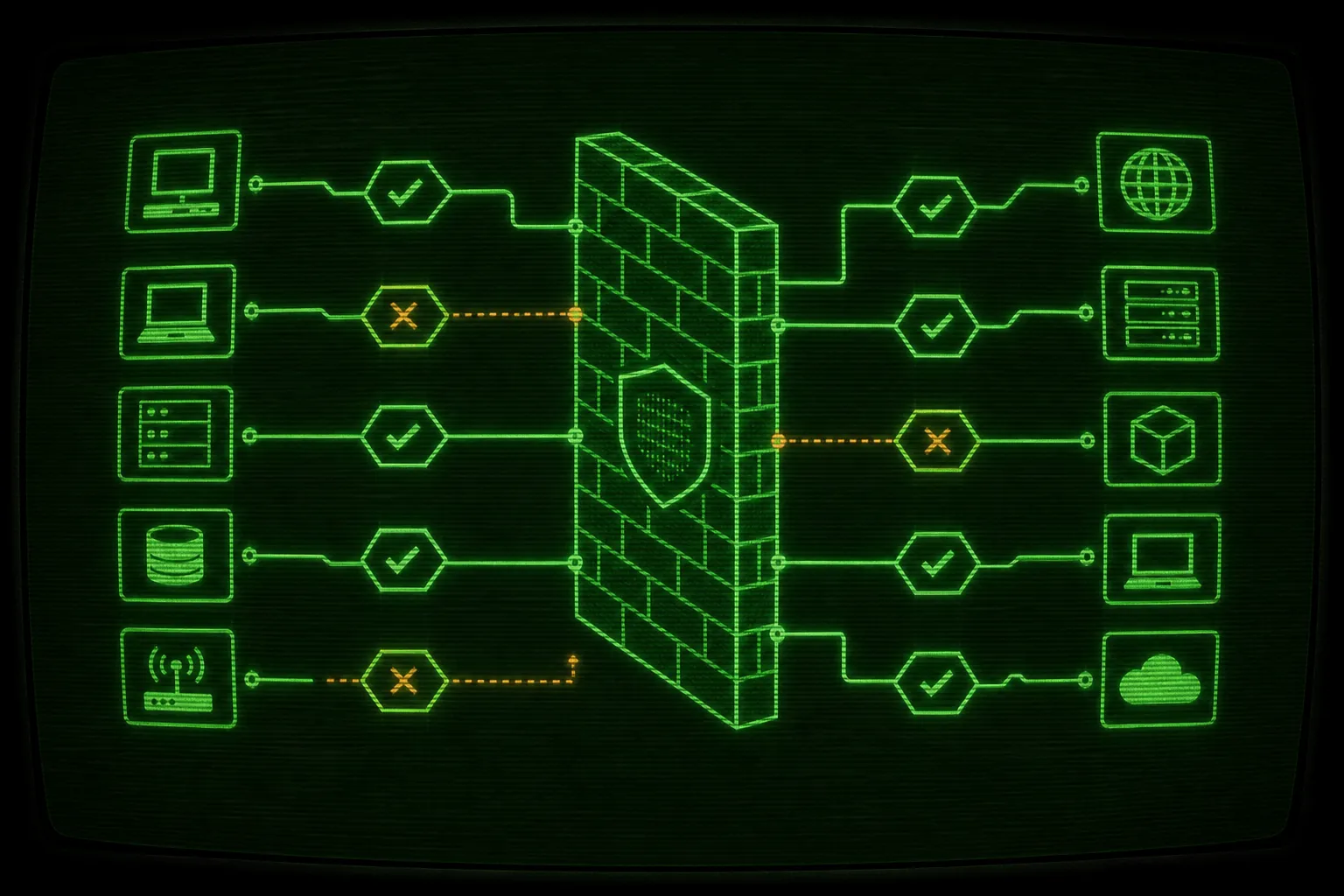

An agent needs some network and not all of it. A Docker Sandbox blocks outbound HTTP and HTTPS by default, so the agent starts with zero reach and you grant exactly the domains a task needs with sbx policy allow network. That is the whole ai agent sandbox network policy model: deny everything, then allowlist the package registries, code hosts, and APIs the work requires, and nothing else. This guide shows the commands, the matching rules, and a practical allowlist you can paste for a normal project. It is the network half of the Docker Sandboxes pillar guide.
Why a sandbox blocks the network by default
Section titled “Why a sandbox blocks the network by default”Filesystem isolation is only half of a sandbox boundary. The other half is the network. An agent with unrestricted outbound access can fetch arbitrary code, run a curl | bash it found in a README, and in the worst case send your source or secrets to a host you never approved. That last risk is the one that should keep you honest. The agent does not need to be malicious. It is a probabilistic system running shell commands, and a shell command that uploads a file looks exactly like a shell command that downloads one.
So Docker Sandboxes ship with a deny-by-default network posture. All outbound HTTP and HTTPS to domains not on the allowlist is blocked, and all non-HTTP protocols (raw TCP, UDP including DNS, and ICMP) are blocked at the network layer, as documented in the default security posture reference. Traffic to private IP ranges, loopback, and link-local addresses is blocked too, so the agent cannot reach back into your LAN or a cloud metadata endpoint.
The practical symptom is that npm install fails, a pip install hangs, or an API call is refused inside the sandbox. That is not a bug. That is the gate doing its job. You fix it by allowlisting the specific domains the task needs, not by opening everything. The point of the sandbox was to make the agent fearless inside a contained blast radius, and a wide-open network puts a hole in the wall you built.
Docker offers three starting policies, described in the policies documentation:
- Open: all outbound traffic allowed, equivalent to a global allow-all rule. No restrictions.
- Balanced: default deny with a baseline allowlist covering common AI provider APIs, package managers, code hosts, container registries, and cloud services. You extend it with
sbx policy allow. - Locked Down: everything blocked, including model provider APIs like
api.anthropic.com. You allow each host explicitly.
Most Ralph users sit on Balanced or stricter. If you chose Balanced, package installs from the big registries often work out of the box and you only add what is missing. If you chose Locked Down, you allow even the model API the agent talks to. Check which one you are on before debugging a blocked request.
How a request flows through the network gate
Section titled “How a request flows through the network gate”Every outbound connection the agent makes hits the policy gate before it leaves the sandbox. The gate compares the destination against your allow and deny rules, and if nothing matches, the default policy decides. On a deny-by-default install, nothing matching means blocked.
flowchart TD
  Agent["Agent in YOLO mode"] -->|"outbound request to a host"| Gate{"Network policy gate"}
  Gate -->|"matches a deny rule"| Block["Blocked: connection refused"]
  Gate -->|"matches an allow rule"| Pass["Allowed: leaves the sandbox"]
  Gate -->|"matches nothing (deny-by-default)"| Block
  Pass --> Net["Internet: only allowlisted hosts"]
  Block --> Log["Recorded in sbx policy log"]
The diagram is the mental model. The agent never talks to the internet directly. It talks to a gate, and the gate enforces a list you control from the host. You set that list once for a project and stop thinking about individual requests.
How to allow a domain with sbx policy
Section titled “How to allow a domain with sbx policy”Grant access with sbx policy. Changes take effect immediately and persist across sandbox restarts. You target a single sandbox by passing its name, or every sandbox on the machine with the global flag -g. Get the name from sbx ls or from Ralph directly:
./ralph.sh --print-name./ralph.sh --print-name --agent codexRalph builds a deterministic sandbox name in the form ralph-<agent>-<current-dir>-<hash8>, so a project at /Users/me/Work/my-app running Claude becomes ralph-claude-my-app-a1b2c3d4. Use that string wherever a command below shows a name.
Allow one domain for one sandbox
Section titled “Allow one domain for one sandbox”The base command takes a sandbox name and a domain:
sbx policy allow network ralph-claude-my-app-a1b2c3d4 api.example.comThat sandbox can now reach api.example.com. Nothing else changed, and no other sandbox was affected.
Allow several domains at once
Section titled “Allow several domains at once”Pass a comma-separated list instead of a single host. This is the common case when a package install is blocked and you want to fix it in one command:
sbx policy allow network ralph-claude-my-app-a1b2c3d4 "*.npmjs.org,*.pypi.org,files.pythonhosted.org,github.com"Quote the list so your shell does not try to glob the asterisks. Each entry is matched independently against outbound requests.
Apply a rule to every sandbox with -g
Section titled “Apply a rule to every sandbox with -g”When a domain is something every project on your machine needs (a model provider API, your internal package mirror), set it globally:
sbx policy allow network -g "api.anthropic.com,*.npmjs.org,*.pypi.org"Global rules are convenient and also a bigger commitment, because they widen the network for sandboxes you have not thought about yet. Prefer per-sandbox rules for anything task-specific and reserve -g for genuinely universal hosts.
The allow-all escape hatch
Section titled “The allow-all escape hatch”You can open a single sandbox completely with the double-asterisk wildcard, which opts it out of network filtering:
sbx policy allow network ralph-claude-my-app-a1b2c3d4 "**"Use "**" sparingly and on purpose. It is the right tool when you genuinely cannot enumerate the domains a task needs and you accept the tradeoff for that one sandbox. It is the wrong default, because it throws away the network half of the boundary you set up the sandbox to get. If you find yourself reaching for "**" on every run, that is a signal to capture the real allowlist instead, which the practical section below walks through.
Inspect, log, and revoke
Section titled “Inspect, log, and revoke”You do not have to guess what the gate is doing. List the active rules:
sbx policy lsWatch what the agent actually tried to reach, which is the fastest way to turn a blocked install into a precise allow rule:
sbx policy logAnd remove access with the mirror of allow. A deny rule blocks a host even inside a broader allow:
sbx policy deny network ralph-claude-my-app-a1b2c3d4 ads.example.comsbx policy deny network -g telemetry.example.comThe workflow that scales is: run the task, read sbx policy log for the refused hosts, add a tight allow rule for the ones the task legitimately needs, and re-run. After two iterations you usually have the exact allowlist a project needs, and you never touched "**".
How domain matching works
Section titled “How domain matching works”The matching rules are simple once you have seen them, and getting them wrong is the usual reason an allow rule appears to do nothing. The policies reference is the source of truth, and here is the working summary.
Exact domains versus wildcard subdomains
Section titled “Exact domains versus wildcard subdomains”A bare domain matches only itself:
example.commatchesexample.comon any port. It does NOT matchapi.example.com.*.example.commatches subdomains likeapi.example.comandcdn.example.com. It does NOT match the bareexample.com.
To cover both the root and its subdomains, list both patterns:
sbx policy allow network ralph-claude-my-app-a1b2c3d4 "example.com,*.example.com"This trips people up constantly. A registry that serves its index from the apex domain and its tarballs from a CDN subdomain needs both entries, or installs stall halfway through.
Append a port to scope a rule to one port:
example.com:443matches requests toexample.comon port 443, the default HTTPS port.*.example.com:443matches any subdomain on port 443.example.comwith no port matches any port.
Non-HTTP TCP traffic such as SSH is blocked by default and can be allowed by adding a rule for the destination IP address and port, for example sbx policy allow network -g "10.1.2.3:22". UDP and ICMP are blocked at the network layer and cannot be unblocked with a policy rule, so do not expect to ping out or run a custom UDP protocol from inside the sandbox.
Most specific wins, and deny beats allow
Section titled “Most specific wins, and deny beats allow”When several patterns could match one request, the most specific pattern decides. The order runs from an exact hostname with a port, to an exact hostname on any port, to wildcard patterns (longest match first), to catch-all wildcards, and finally the default policy. That specificity is what lets you block a broad pattern while allowing a narrow exception. You can deny example.com and *.example.com, then allow api.example.com:443, and only that one host and port gets through.
For the case people ask about most: when an allow rule and a deny rule both match a request at the same specificity, the deny rule wins. Deny is the safer default to lose to, and it means you can layer a tight deny over a broad allow without worrying that the allow quietly re-opens the host.
Why this matters: installs versus exfiltration
Section titled “Why this matters: installs versus exfiltration”The reason to bother with any of this is that the two things you want from the network point in opposite directions.
You want package installs to work. An autonomous agent that cannot run npm install, pip install, or cargo fetch is an agent that stalls on its first dependency and burns iterations doing nothing useful. Installs need the registries, the CDNs that serve the actual artifacts, and usually a code host for git dependencies.
You do not want exfiltration to work. The same outbound channel that pulls a tarball in can push a file out. An agent that has read your project (the whole point of the shared workspace) and unrestricted network can, in principle, POST your source or a leaked credential to any host. You are not assuming the model is hostile. You are removing the capability so a confused or prompt-injected agent cannot do the damage even by accident.
A tight allowlist resolves the tension. Installs flow to the registries and code hosts you named, and there is no open path to an arbitrary collection endpoint. The narrower the list, the smaller the surface. This is the same argument the pillar makes for the filesystem, applied to the wire: enforce the boundary from the outside, and keep the grant minimal. For the broader case on why every autonomous run belongs behind a boundary you control rather than a permission prompt the agent can blow past, the Docker Sandboxes pillar is the place to start.
A practical allowlist for a typical project
Section titled “A practical allowlist for a typical project”Here is a concrete starting point for a JavaScript or Python project that pulls dependencies and clones a few git repos. Get the sandbox name, then grant the registries and code host in one command.
For an npm-based project:
./ralph.sh --print-namesbx policy allow network ralph-claude-my-app-a1b2c3d4 "registry.npmjs.org,*.npmjs.org,github.com,*.githubusercontent.com,codeload.github.com"For a Python project add the PyPI hosts:
sbx policy allow network ralph-claude-my-app-a1b2c3d4 "pypi.org,*.pypi.org,files.pythonhosted.org"A few notes on why those specific entries:
registry.npmjs.orgis the index, and*.npmjs.orgcovers the related hosts npm reaches during an install. Listing both the apex and the wildcard avoids the half-finished install problem.github.comhandles git operations,codeload.github.comserves tarball downloads for git dependencies, and*.githubusercontent.comserves raw files and release assets. Git installs that work for the clone but fail on the download usually needcodeload.github.com.pypi.orgis the index andfiles.pythonhosted.orgis where the wheels and source distributions actually live, so PyPI needs both.
If your agent talks to a model API from inside the sandbox (you are on Locked Down, or you run the CLI by hand in there), allow that host too, for example api.anthropic.com for Claude. On a Balanced policy these are often already covered by the baseline allowlist, so check sbx policy ls before adding duplicates.
Then run the loop and walk away. The agent works in bypass-permissions mode, but the network gate is one of the walls that makes that safe:
./ralph.sh -n 50When the loop finishes, Ralph stops the sandbox through its exit trap. Your allowlist persists with the sandbox, so the next run starts from the same known-good network posture instead of a blank deny.
Where network policy fits the rest of the boundary
Section titled “Where network policy fits the rest of the boundary”A network policy is one wall, not the whole house. The sandbox also keeps the agent out of your home directory and off your host Docker daemon, which is the filesystem side of the same idea. If you are weighing a Docker Sandbox against a container you wire up yourself, the network gate is a good example of the difference, and Docker Sandboxes versus plain containers for AI agents covers where a hand-rolled setup tends to leak.
When a request is blocked and you are not sure why, get inside and look. The sandbox is a normal container from the inside, so you can reproduce the failing request, read DNS, and watch sbx policy log from the host at the same time. The full routine for that lives in how to inspect and debug inside an AI agent sandbox.
Finally, the network you allow depends on which agent CLI you run and what it phones home to. Each tool reaches a slightly different set of hosts for auth, models, and telemetry, so the allowlist for a Codex run is not identical to a Gemini run. The agentic coding CLIs guide is the cross-hub companion for picking a CLI and knowing what it expects from the wire. Ralph itself is a hackable Bash loop in the tradition of Geoffrey Huntley’s original Ralph technique, so if a policy rule needs to live somewhere repeatable, it is plain shell you can script next to the loop.
Set the allowlist once, keep it minimal, and let the agent run. Installs go through, exfiltration does not, and the gate is something you can read in one sbx policy ls.
Frequently asked questions
What is the default network policy for a Docker Sandbox?
Deny-by-default for outbound HTTP and HTTPS. Any domain not on the allowlist is blocked, and non-HTTP protocols like raw TCP, UDP, DNS, and ICMP are blocked at the network layer. Docker also offers an Open policy that allows everything and a Locked Down policy that blocks even model provider APIs, so check which one your install uses before debugging a refused request.
How do I allow a domain for an AI agent sandbox?
Use sbx policy allow network with the sandbox name and the domain, for example sbx policy allow network ralph-claude-my-app-a1b2c3d4 api.example.com. Pass a comma-separated list to allow several at once, add the -g flag to apply the rule to every sandbox on the machine, and quote any pattern that contains an asterisk so your shell does not expand it.
Why does my allow rule for example.com not match api.example.com?
Because a bare domain matches only the exact host. example.com does not match its subdomains, and the wildcard form star-dot-example.com does not match the bare root domain. To cover both the apex and its subdomains, allow both patterns in one rule, such as example.com and star-dot-example.com.
What happens when an allow rule and a deny rule both match a request?
The most specific matching pattern wins overall, running from an exact hostname with a port, to an exact hostname on any port, to wildcards, to catch-all rules, and finally the default policy. When an allow and a deny match at the same specificity, the deny rule wins, so you can layer a narrow deny over a broad allow safely.
How do I see which hosts the agent tried to reach?
Run sbx policy ls to list the active allow and deny rules, and sbx policy log to see the connection history including blocked attempts. Reading the log is the fastest way to turn a failed install into a precise allow rule, because it tells you exactly which hosts were refused so you can add only those.