How to Run AI Coding Agents in Docker Sandboxes Safely
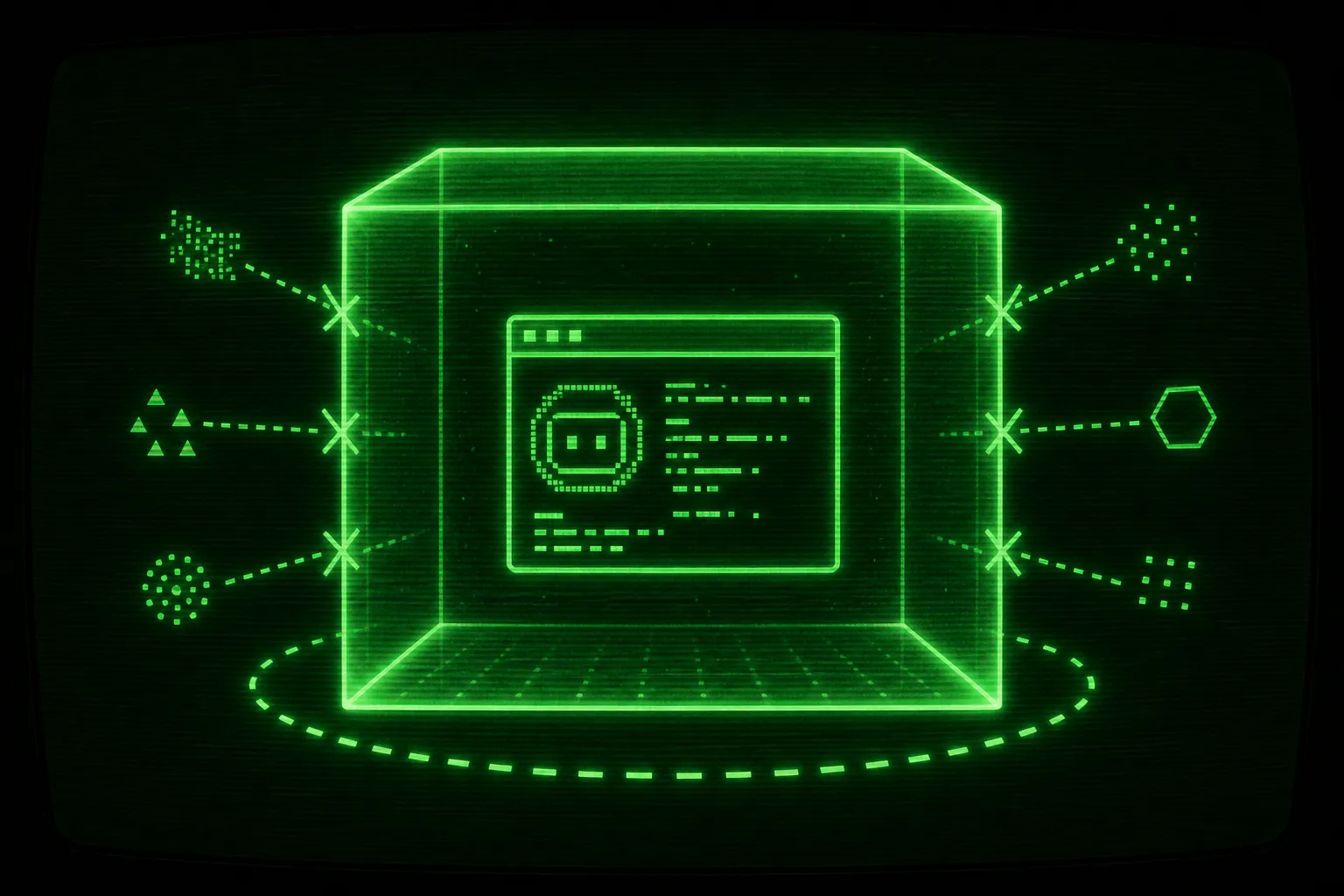

Run the agent where it cannot hurt you. An autonomous coding agent that edits files, runs shell commands, and installs packages on its own needs a boundary, and that boundary has to be one you enforce from the outside, not one the agent promises to respect from the inside. The reliable way to get that boundary is a Docker Sandbox: a microVM that isolates the agent from your host while still letting it work on your project. This is the pillar guide to running an ai coding agent docker sandbox setup safely, and it follows exactly how Ralph Loop does it by default.
The boundary has to be external, not a permission prompt
Section titled “The boundary has to be external, not a permission prompt”Here is the core idea before any setup. A permission prompt is not a security boundary. When an agent asks “can I run this command?” and you click yes, you are the boundary, and you are slow, distracted, and not awake at 3am. When you tell the agent to stop asking and just work, you have removed the only thing standing between the model and your filesystem.
The agent runs with your user account. That means it can read your SSH keys, your ~/.aws/credentials, your browser session cookies, your other git repositories, and anything else your account can touch. It can also push to remotes, delete files, and run a curl | bash it found in a README. None of that is malicious intent. It is a probabilistic system executing shell commands, and shell commands do not have an undo.
So the answer to “how do I run an agent safely?” is not “review every command” and it is not “trust a better model.” It is “put a wall around the agent that the agent cannot reach through.” A Docker Sandbox is that wall. Inside it, the agent can do whatever it wants, because whatever it wants is contained. For the longer argument about why every autonomous run belongs behind a wall, see why you should sandbox every autonomous coding agent.
flowchart TB
  subgraph Host["Your machine (host)"]
    Keys["SSH keys, AWS creds, cookies"]
    OtherRepos["Other git repos"]
    Ralph["ralph.sh on the host"]
  end
  subgraph Sandbox["Docker Sandbox microVM: ralph-claude-my-app-a1b2c3d4"]
    Agent["Agent in YOLO mode"]
    Project["Shared project directory"]
    NetGate["Network gate: deny-by-default"]
  end
  Ralph -->|"sbx run launches the agent"| Agent
  Agent --> Project
  Agent -->|"every outbound request"| NetGate
  NetGate -.->|"allowed only if allowlisted"| Internet["Internet"]
  Agent -. "no path to" .-> Keys
  Agent -. "no path to" .-> OtherRepos
The diagram is the whole mental model. The agent sees the project directory and a network gate. It does not see the rest of your machine. Your job is to set up that picture once and then stop babysitting individual commands.
What a Docker Sandbox actually is
Section titled “What a Docker Sandbox actually is”A Docker Sandbox is not a plain docker run. Docker Sandboxes (the sbx CLI) give each workload a lightweight virtual machine with its own kernel, not just a namespaced process sharing your host kernel. That distinction matters for isolation, and the Docker Sandboxes documentation is the primary source for how it works under the hood.
microVM isolation, not a shared kernel
Section titled “microVM isolation, not a shared kernel”A normal container shares the host kernel and isolates processes with namespaces and cgroups. That is fine for shipping software you trust. It is a weaker boundary for software you explicitly do not trust to behave, which is the exact situation with an agent running arbitrary commands. A microVM runs a separate guest kernel, so a process escaping the agent’s view has a real virtualization boundary to defeat rather than a kernel it already shares with your host.
For a side by side breakdown of where a hand-rolled container leaks and where a microVM holds, read Docker Sandboxes vs plain containers for AI agents. The short version: a container is a start, and a sandbox is a boundary.
What the agent can and cannot see
Section titled “What the agent can and cannot see”Inside the sandbox the agent gets your project directory, shared at the same absolute path it has on your host. If your project lives at /Users/you/Work/my-app, that is the path inside the sandbox too. This is deliberate: tooling, config, and lockfiles resolve the same way, so the agent does not trip over path differences.
What the agent does not get is the rest of your home directory. No SSH keys, no cloud credentials, no unrelated repositories, no shell history full of tokens. The blast radius is the project you pointed it at, plus whatever network you explicitly allow. If the agent does something catastrophic, the worst case is a project directory you can reset with git and a sandbox you can throw away.
The deterministic sandbox name
Section titled “The deterministic sandbox name”Ralph names every sandbox deterministically so the same project and agent pair always reuses the same microVM. The format is:
ralph-<agent>-<current-dir>-<hash8>The pieces are:
<agent>is the selected agent slug, lowercased:claude,codex,copilot,cursor,gemini, oropencode.<current-dir>is the basename of the project directory, sanitized to[a-z0-9-].<hash8>is the first 8 hex characters ofsha256of the absolute project path.
A project at /Users/me/Work/My App running Claude becomes ralph-claude-my-app-a1b2c3d4. The path hash is what keeps two same-named directories on different paths from colliding, so ~/Work/app and /tmp/app get separate sandboxes. The agent slug being part of the name means switching --agent gives you a separate sandbox for the same project, which avoids surprising swaps between, say, Claude and Codex state.
You never have to memorize this. Ralph prints the name on its startup line, and you can ask for it directly:
./ralph.sh --print-name./ralph.sh --print-name --agent cursorWhy YOLO mode is safe inside a sandbox
Section titled “Why YOLO mode is safe inside a sandbox”YOLO mode is the configuration where the agent stops asking permission and just executes. In Claude Code that flag is --dangerously-skip-permissions (or --permission-mode bypassPermissions, documented in the Claude Code docs). Other CLIs have their own version of the same idea. The name is honest. On your laptop it is dangerous, because you have handed full shell access to a model with no gate in front of it.
Why the flag is terrifying on a host
Section titled “Why the flag is terrifying on a host”Run --dangerously-skip-permissions directly on your machine and you have authorized the agent to do anything your user can do, without a prompt, for the entire session. One bad command, one hallucinated rm, one helpful “let me clean up these old files,” and there is no confirmation step to catch it. For long autonomous runs this is not a hypothetical, because the longer the run, the more commands execute, and the more chances something goes sideways while you are not watching.
Why the same flag is fine inside a sandbox
Section titled “Why the same flag is fine inside a sandbox”Now run the exact same flag inside a Docker Sandbox. The agent still skips every permission prompt. It still executes whatever it decides to execute. The difference is that “anything it can do” now means “anything it can do inside a microVM that only contains your project directory and a locked-down network.” The dangerous flag becomes a non-event, because the danger had a target on the host and the sandbox removed the target.
This is the inversion worth internalizing. You are not making the agent trustworthy. You are making trust unnecessary by shrinking the blast radius to something disposable. That is why Ralph runs agents in bypass-permissions mode by default: the sandbox is the boundary, so the agent is free to move fast inside it. For the deeper treatment of running bypass-permissions mode without losing sleep, see running agents in YOLO mode safely.
How to control what the agent can reach on the network
Section titled “How to control what the agent can reach on the network”Isolating the filesystem is half the boundary. The other half is the network, because an agent with unrestricted outbound access can fetch arbitrary code and, in the worst case, send data out. Docker Sandboxes handle this with a network gate that defaults to closed.
Deny-by-default
Section titled “Deny-by-default”Docker Sandboxes block outbound HTTP and HTTPS by default (deny-by-default, or a balanced allowlist depending on the policy you chose at install). If the agent tries to reach a host it has not been granted, the request fails. That sounds inconvenient until you remember the alternative is an agent that can talk to anything. Deny-by-default means the agent starts with no network reach and you add exactly what the task needs.
The practical symptom is that npm install fails, an API call is refused, or a package download hangs. That is the gate doing its job. You fix it by allowlisting the specific domains, not by opening everything.
Allowlisting domains with sbx policy
Section titled “Allowlisting domains with sbx policy”Grant access with sbx policy. Changes take effect immediately and persist across sandbox restarts. Use the sandbox name from sbx ls or ./ralph.sh --print-name.
Allow a single domain for one sandbox:
sbx policy allow network ralph-claude-my-app-a1b2c3d4 api.example.comAllow several domains at once with a comma-separated list, which is the common case when package installs are blocked:
sbx policy allow network ralph-claude-my-app-a1b2c3d4 "*.npmjs.org,*.pypi.org,files.pythonhosted.org,github.com"A few matching rules are worth knowing. example.com matches only the exact domain and not its subdomains. *.example.com matches subdomains like api.example.com but not the bare root, so you specify both when you need both. If a domain matches both an allow and a deny rule, the deny rule wins.
Global rules and the escape hatch
Section titled “Global rules and the escape hatch”Apply a rule to every sandbox on the machine with the global flag -g instead of a sandbox name:
sbx policy allow network -g api.example.comThere is also a full-open escape hatch. You can allow all outbound traffic for one sandbox, which opts that sandbox out of network filtering entirely:
sbx policy allow network ralph-claude-my-app-a1b2c3d4 "**"Use "**" sparingly and on purpose. It is the right tool when you genuinely cannot enumerate the domains a task needs and you accept the tradeoff for that one sandbox. It is the wrong default, because it throws away half the boundary you set up the sandbox to get. Inspect what is happening with sbx policy ls to see active rules and sbx policy log to see connection history. The full treatment of building an allowlist that lets installs through while keeping exfiltration out lives in network policies for AI agent sandboxes.
How to inspect and debug inside the sandbox
Section titled “How to inspect and debug inside the sandbox”A sandbox is not a black box. When the agent gets stuck, or you want to see what it actually did, you get inside the same way you would with any container.
List sandboxes with sbx ls
Section titled “List sandboxes with sbx ls”Start by listing what is running:
sbx lsFind the sandbox for the agent you ran, for example ralph-claude-my-app-a1b2c3d4. Ralph also prints this name when it starts, so you usually already have it.
Shell in with sbx exec
Section titled “Shell in with sbx exec”Open an interactive shell inside the sandbox:
sbx exec -it ralph-claude-my-app-a1b2c3d4 bashNow you have full control, exactly like a regular container. Install packages, run the test suite, inspect files, check why a build failed. You can also drive the agent CLI by hand from inside the sandbox after navigating to the project directory:
sbx exec -it ralph-claude-my-app-a1b2c3d4 bashcd /Users/you/Work/my-appclaudeSwap claude for codex, copilot, cursor, gemini, or opencode depending on which agent that sandbox was built for.
Reattach with sbx run
Section titled “Reattach with sbx run”To reattach Ralph’s sandbox for a manual login or a debugging session, use the attach form:
sbx run ralph-claude-my-app-a1b2c3d4There is one sharp edge here worth stating plainly. sbx run --name <name> <agent> . is create-only. Passing --name for a sandbox that already exists fails with an error telling you --name can only be used when creating a new sandbox. So you use the --name create form only the first time, before the sandbox exists, and the bare sbx run <name> attach form every time after. Ralph handles this branching for you (more on that below), but it helps to know why the two commands differ. The full walkthrough is in how to inspect and debug inside an AI agent sandbox.
Cleanup on exit
Section titled “Cleanup on exit”When a run ends, by normal exit, by double Ctrl+C, or by any path that fires the exit trap, Ralph stops the sandbox it started:
sbx stop ralph-claude-my-app-a1b2c3d4It stops only that one name. Sandboxes you started for other agents in the same project are left alone. Cleanup is guarded so it runs at most once even if both the exit trap and an interrupt path try to fire it. Stopping is not deleting, so the sandbox can be reattached later. When you want it gone for good, remove it explicitly with sbx rm.
How ralph.sh wires all this together
Section titled “How ralph.sh wires all this together”You can do every step above by hand. The point of Ralph Loop is that you do not have to, because the script computes the sandbox name, checks that sbx exists, decides whether to create or attach, runs the agent in bypass-permissions mode, and cleans up on exit. Ralph is a hackable Bash loop in the tradition of Geoffrey Huntley’s original Ralph technique, and the sandbox plumbing is part of what it automates.
Print the name
Section titled “Print the name”When you need the deterministic name for a sbx policy rule or an sbx exec, ask for it:
./ralph.sh --print-name./ralph.sh --print-name --agent codexAuthenticate inside the sandbox
Section titled “Authenticate inside the sandbox”Agents need to log in, and that login has to happen inside the sandbox where the agent will actually run, not on your host. The --login action prints the correct command for every supported agent and then opens the selected agent inside its correctly named sandbox:
./ralph.sh --login./ralph.sh --login --agent codexRalph probes sbx ls first. If the sandbox does not exist yet, it emits the create form with --name. If it already exists, it emits the attach form. You do not have to remember which one applies.
Publish a dev port
Section titled “Publish a dev port”When the agent runs a dev server inside the sandbox and you want to see it in your browser, publish the port:
./ralph.sh --portsThis maps a host port to a sandbox port (the default is 3000:3000 in HOST:SANDBOX form). If the sandbox does not exist yet, Ralph tells you to create it with the login command first rather than failing with a confusing error.
Run the loop
Section titled “Run the loop”The actual work is the loop. Pick an agent, set how many iterations, and pass agent-specific flags after a -- separator:
./ralph.sh -n 50./ralph.sh --agent codex -- --model gpt-5.5./ralph.sh -a gemini -n 5 -- --model proSupported agents are claude (the default), codex, copilot, cursor, gemini, and opencode. The default iteration count is 10, --once runs exactly one iteration, and --max-iterations 5 is the long form of -n 5. For the full tour of which CLI to pick and how each one behaves in a loop, the agentic coding CLIs pillar is the cross-hub companion to this one.
Create versus attach, per iteration
Section titled “Create versus attach, per iteration”Here is the lifecycle the loop runs, and why it self-heals. Each iteration probes whether the deterministic sandbox already exists. Iteration one typically creates it. Iteration two and onward attach to it. If you manually sbx rm the sandbox between iterations, the next probe simply creates it again. That re-probe is what makes a multi-hour run resilient to you poking at the sandbox by hand.
flowchart TD
  Start["./ralph.sh -n 50"] --> Name["Compute name: ralph-agent-dir-hash8"]
  Name --> CheckSbx{"sbx installed?"}
  CheckSbx -->|"no"| Fail["Exit with docs link"]
  CheckSbx -->|"yes"| Iter["Start iteration"]
  Iter --> Probe{"sandbox exists?"}
  Probe -->|"no"| Create["sbx run --name ... agent ."]
  Probe -->|"yes"| Attach["sbx run name"]
  Create --> Work["Agent works one task in YOLO mode"]
  Attach --> Work
  Work --> Signal{"completion signal?"}
  Signal -->|"COMPLETE"| Done["Exit 0, then sbx stop"]
  Signal -->|"keep going"| Iter
The completion signal is not a vibe. The agent emits an explicit promise tag: <promise>COMPLETE</promise> when all tasks are finished, <promise>BLOCKED:reason</promise> when it needs human help, or <promise>DECIDE:question</promise> when it needs a decision. Those map to exit codes 0, 2, and 3, with 1 reserved for hitting the iteration cap. The loop stops on the signal, runs sbx stop through its exit trap, and hands you back a contained sandbox you can inspect or discard.
A safe default setup, end to end
Section titled “A safe default setup, end to end”Putting the pieces in order, here is what a clean first run looks like.
First, install Ralph in your project:
npx @pageai/ralph-loopNext, authenticate the agent inside its sandbox. This creates the sandbox if it does not exist and logs you in where the agent will run:
./ralph.sh --loginIf the task needs network access for installs, allowlist the domains it needs rather than opening everything. Get the name and add a rule:
./ralph.sh --print-namesbx policy allow network ralph-claude-my-app-a1b2c3d4 "*.npmjs.org,github.com"Then run the loop and walk away. The agent runs in bypass-permissions mode, but the sandbox is the boundary, so fast and autonomous is the same thing as contained:
./ralph.sh -n 50If something looks wrong mid-run, shell in and look. The sandbox is a normal container from the inside:
sbx exec -it ralph-claude-my-app-a1b2c3d4 bashWhen the loop finishes, Ralph stops the sandbox for you. Your host never had the agent’s hands on it.
Where the boundary ends
Section titled “Where the boundary ends”A sandbox is a strong boundary, and it is not a magic one. Two limits are worth naming so you do not over-trust the setup.
First, the project directory is shared, which is the entire point, so the agent can absolutely wreck your working tree. The protection there is git, not the sandbox. Commit often, work on a branch, and treat the sandbox as protection for everything outside the project rather than a substitute for version control inside it.
Second, whatever you allowlist on the network is genuinely reachable. If you grant a domain that can receive uploads, an agent could in principle send data there. The deny-by-default posture and a tight allowlist keep that surface small, but a "**" rule throws it wide open. Treat network grants as you would treat firewall rules: minimal, specific, and reviewed.
Inside those limits, the model is simple and it holds. Enforce the boundary from the outside, give the agent a disposable place to be fearless, and let it run. The sandbox is the blast radius, so the agent can move at full speed and the worst case stays cheap.
Frequently asked questions
Is it safe to run an AI coding agent with --dangerously-skip-permissions?
It is unsafe on your host and safe inside a Docker Sandbox. On the host the flag gives the agent full shell access with no confirmation, so a single bad command can touch your SSH keys, credentials, or other repositories. Inside a microVM sandbox the same flag only grants access to the shared project directory and an allowlisted network, so the blast radius is something you can reset or discard.
How is a Docker Sandbox different from a regular Docker container?
A regular container shares the host kernel and isolates with namespaces and cgroups, which is fine for software you trust. A Docker Sandbox runs a lightweight microVM with its own guest kernel, which is a stronger boundary for code you explicitly do not trust to behave, such as an agent running arbitrary shell commands.
Why does the agent fail to install packages or reach an API inside the sandbox?
Docker Sandboxes block outbound network by default. You grant access per domain with the command sbx policy allow network, using the sandbox name. Allow the specific hosts the task needs, such as the npm and GitHub domains, rather than opening all traffic with the double-star rule.
How do I get a shell inside the sandbox to debug?
List sandboxes with sbx ls to find the name, then run sbx exec with the interactive flags and bash to open a shell inside it. From there you have full control like any container, so you can install packages, run tests, and inspect files. You can also reattach the sandbox with sbx run and the name.
What is the sandbox name Ralph uses and how do I find it?
Ralph builds a deterministic name in the form ralph, then the agent slug, then the project directory basename, then the first eight characters of a hash of the absolute path. Ralph prints it on startup, and you can print it on demand with ./ralph.sh --print-name, optionally with --agent to target a specific agent.