Docker Sandboxes vs Plain Containers for AI Agents
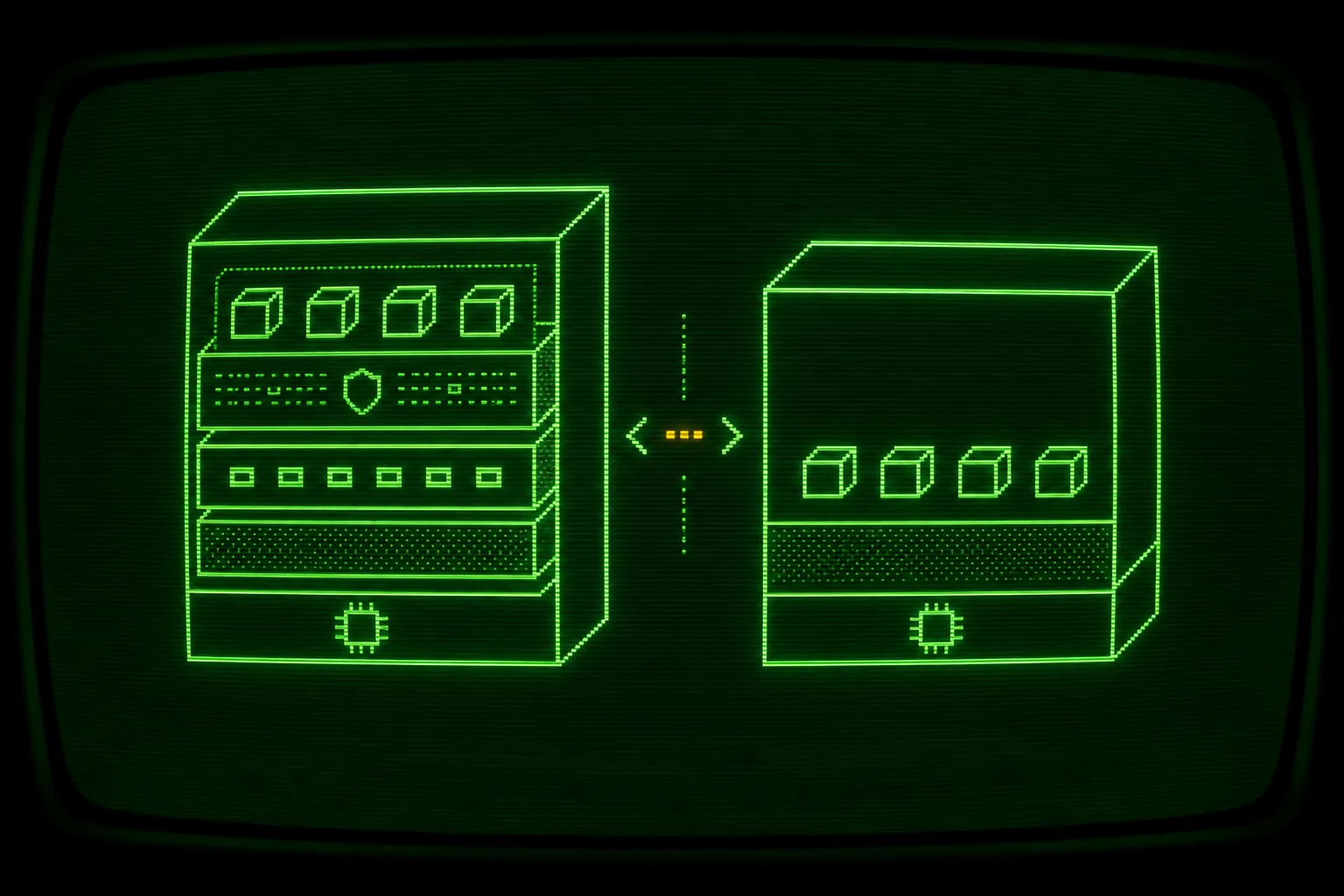

A plain container is a start, not a boundary. Running an autonomous coding agent inside docker run does isolate it from your host filesystem, which is already better than running the agent directly on your laptop. The gap is that a normal container shares your host kernel, so the wall between an agent executing arbitrary shell commands and your machine is thinner than most people assume. Docker Sandboxes close that gap by giving each sandbox its own microVM with a separate guest kernel, which is the difference this post is about when you compare a docker sandbox vs container ai agent setup.
If you want the full safety argument first, the pillar guide on how to run AI coding agents in Docker Sandboxes safely covers the whole boundary. This post zooms in on one question: what does a hand-rolled container actually give you, where does it leak, and why does a microVM hold where a container does not.
Container vs sandbox, the short answer
Section titled “Container vs sandbox, the short answer”The decision comes down to what you are isolating from and how much you trust the workload.
A container is the right tool for software you trust. You built it, you reviewed it, and you are shipping it. Namespaces and cgroups keep processes tidy and resource bounded, and the shared kernel is a feature because it is fast and cheap.
A microVM is the right tool for software you explicitly do not trust to behave. An autonomous agent running in bypass-permissions mode is exactly that. It decides which commands to run, it can curl | bash something it found in a README, and it does not have an undo. For that workload you want a virtualization boundary, not just a kernel namespace.
So the short answer: use a container when the code is yours and reviewed, use a sandbox when a probabilistic system is executing shell commands on your behalf. The rest of this post is the detail behind that rule.
What a hand-rolled container actually gives you
Section titled “What a hand-rolled container actually gives you”Start with the honest version of the container story, because containers are useful and a docker run is genuinely a step up from nothing.
A container gives the agent its own process namespace, its own mount namespace, its own network namespace, and a cgroup that can cap CPU and memory. The agent sees its own process tree, not yours. It sees the filesystem you mounted, not your whole home directory by default. That isolation is real, and for a lot of workloads it is enough.
Here is a minimal version of what people reach for first:
docker run -it --rm \ -v "$PWD":/work -w /work \ node:22 bashThis drops you into a container with your project mounted at /work. The agent can edit those files, run installs, and run tests. Your ~/.ssh and ~/.aws are not mounted, so they are not visible. For a quick experiment that is a reasonable boundary.
The problem is that the defaults of a plain container were designed for running trusted software conveniently, not for caging an untrusted process. So the moment you run a real agent for hours, the soft spots start to matter.
Where the container leaks
Section titled “Where the container leaks”There are four leaks worth naming, because each one is a place a long autonomous run can go wrong.
First, root by default. Unless you say otherwise, the process inside the container runs as root (uid 0). It is namespaced root, not host root, but it is still root inside the container, which widens what a container escape or a misconfigured mount can reach. An agent that runs chmod, chown, or installs system packages as root is one surprised step closer to your host than it needs to be.
Second, the shared kernel. This is the big one. Every container on the machine, including the agent’s, talks to the same host kernel you are using. Namespaces are a kernel feature isolating a process from other processes, not a separate operating system. A kernel level bug, a privileged syscall, or a known container escape has your actual kernel as its target. You are trusting the kernel boundary to hold against code you specifically decided not to trust.
Third, bind mounts. The convenient -v "$PWD":/work is a two way door. The agent writes to your real working tree on the host, which is the point, but it also means a bad rm -rf or an overzealous “let me clean this up” reaches your real files, not a copy. People also tend to mount more than they should over time (a config directory here, a credentials file there) and each added mount is another path out of the box. Mounting the Docker socket (/var/run/docker.sock) is the worst case, because a process that can talk to the Docker daemon can start a new container as host root and own the machine.
Fourth, the network. By default a container gets full outbound network access through the default bridge. An agent with unrestricted egress can fetch arbitrary code and, in the worst case, send data out. There is no allowlist unless you build one, and building one with raw containers means writing firewall rules by hand.
None of these are reasons to never use a container. They are reasons to not assume docker run is a security boundary for an untrusted agent. For the broader case on why every autonomous run needs a wall around it, see why you should sandbox every autonomous coding agent.
How Docker Sandboxes differ
Section titled “How Docker Sandboxes differ”Docker Sandboxes (the sbx CLI) are built for the untrusted workload case, and the Docker Sandboxes documentation is the primary source for the internals. Three differences matter most for agents.
A microVM per sandbox
Section titled “A microVM per sandbox”Each sandbox runs inside its own lightweight virtual machine with its own guest kernel, not a namespaced process sharing your host kernel. That single change is what upgrades the boundary from “trust the kernel namespace” to “defeat a virtualization layer.” A process that escapes the agent’s view inside the sandbox lands in a guest kernel that is not your kernel, with a virtual machine monitor between it and your host.
For the agent this is invisible. It still gets a Linux environment, a shell, a filesystem, and the tools it expects. The isolation is underneath, where the agent cannot see it and does not need to.
flowchart TB
  subgraph PlainPath["Plain container"]
    direction TB
    PApp["Agent process, often root"]
    PNS["Namespaces + cgroups"]
    PKernel["Shared host kernel"]
    PHost["Host: files, keys, network"]
    PApp --> PNS --> PKernel --> PHost
  end
  subgraph SbxPath["Docker Sandbox (sbx)"]
    direction TB
    SApp["Agent process in YOLO mode"]
    SGuest["Guest kernel (microVM)"]
    SVMM["Virtual machine monitor"]
    SHost["Host: isolated, project dir shared only"]
    SApp --> SGuest --> SVMM --> SHost
  end
Read the two stacks top to bottom. In the plain container, the agent process reaches the host across one shared kernel. In the sandbox, the agent process reaches the host only after getting through a guest kernel and a virtual machine monitor, and the host shares nothing but the one project directory you pointed it at.
Standalone, no Docker Desktop, seconds to spin up
Section titled “Standalone, no Docker Desktop, seconds to spin up”Docker Sandboxes run as a standalone CLI. You do not need Docker Desktop running to use sbx, which keeps the dependency surface small and makes it easy to script. A sandbox spins up in seconds, so the microVM is not a heavy thing you provision once and babysit. It is closer to the ergonomics of docker run: you ask for it, you get it quickly, you throw it away when you are done.
That speed matters for a loop. A tool like Ralph Loop creates or reattaches a sandbox on every iteration, so a slow boundary would tax every pass. Fast startup is what makes “isolate every run” practical instead of aspirational.
Deterministic names and a network gate
Section titled “Deterministic names and a network gate”Two more things come for free with the sandbox model that you would otherwise build by hand.
Sandboxes get deterministic names so the same project and agent pair reuses the same microVM. Ralph uses the form ralph-<agent>-<current-dir>-<hash8>, for example ralph-claude-my-app-a1b2c3d4. You list them with sbx ls, shell into one with sbx exec -it <name> bash, and reattach with sbx run <name>. No tracking container IDs by hand.
The network is a gate, not an open door. Docker Sandboxes default to deny-by-default egress, and you allowlist exactly what a task needs:
sbx policy allow network ralph-claude-my-app-a1b2c3d4 "*.npmjs.org,github.com"You can apply a rule globally with -g, and the "**" pattern opens a single sandbox fully when you genuinely cannot enumerate the domains. The full treatment of building an allowlist that lets installs through while keeping exfiltration out lives in network policies for AI agent sandboxes. The point versus a plain container: you get this gate without writing iptables rules.
If you must use a plain container, harden it
Section titled “If you must use a plain container, harden it”Sometimes a microVM is not available in your environment and a container is what you have. You can close most of the obvious leaks with flags. This will not give you a separate kernel, so it is not equivalent to a microVM, but it is a real improvement over a naked docker run.
Run as a non-root user instead of root:
docker run --user 1000:1000 ...Drop every Linux capability and add back only what you actually need:
docker run --cap-drop=ALL ...Block privilege escalation so a setuid binary cannot regain capabilities:
docker run --security-opt=no-new-privileges ...Make the root filesystem read-only and give the agent a scratch space that is not your host:
docker run --read-only --tmpfs /tmp ...Cut the network entirely when a task does not need it, or attach a tightly scoped network when it does:
docker run --network none ...Cap resources so a runaway loop cannot starve the host:
docker run --memory 4g --cpus 2 --pids-limit 512 ...Put together, a hardened run looks like this:
docker run -it --rm \ --user 1000:1000 \ --cap-drop=ALL \ --security-opt=no-new-privileges \ --read-only --tmpfs /tmp \ --memory 4g --cpus 2 --pids-limit 512 \ --network none \ -v "$PWD":/work -w /work \ node:22 bashTwo things to keep in mind. Never mount the Docker socket into an agent container, because that hands the agent the daemon and therefore the host. And remember that all of this still rides on your shared kernel, so a kernel level escape defeats every flag above at once. Hardened containers raise the cost of an escape. A microVM changes what an escape even targets.
Why Ralph defaults to sbx
Section titled “Why Ralph defaults to sbx”Ralph runs every agent inside a Docker Sandbox by default, and the reasoning is the whole post in one line: the sandbox is the boundary, so the agent is free to move fast inside it. Because the boundary is external and real, Ralph runs agents in bypass-permissions mode (Claude Code’s --dangerously-skip-permissions, with equivalents for other CLIs) without the usual dread. The danger of YOLO mode comes from the target on the host, and the microVM removes the target. The deeper version of that argument is in running agents in YOLO mode safely.
The loop wires the sandbox lifecycle so you never manage it by hand. Each iteration computes the deterministic name, checks that sbx exists, creates the sandbox on the first pass and attaches on later passes, runs the agent on exactly one task, and stops the sandbox through an exit trap when the run ends. The loop stops on an explicit completion promise (<promise>COMPLETE</promise>, <promise>BLOCKED:reason</promise>, or <promise>DECIDE:question</promise>), not on a vibe, and those map to exit codes 0, 2, and 3 with 1 reserved for hitting the iteration cap.
Starting a run is the same regardless of which agent you pick:
./ralph.sh -n 50./ralph.sh --agent codex -- --model gpt-5.5Supported agents are claude (the default), codex, copilot, cursor, gemini, and opencode. For the field guide on which CLI behaves best inside a long sandboxed loop, the agentic coding CLIs pillar is the cross-hub companion to this one. The takeaway stands on its own: a plain container is where you start, and a per-sandbox microVM is the boundary you actually want around an autonomous agent.
Frequently asked questions
Is a Docker container enough to sandbox an AI coding agent?
A plain container is a start, not a full boundary. It isolates the process and the filesystem you mount, which is better than running the agent on the host, but it shares your host kernel, often runs as root, and has open outbound network by default. For an untrusted agent running arbitrary commands, a microVM that gives each sandbox its own guest kernel is a stronger boundary.
What is the difference between a Docker Sandbox and a plain Docker container?
A plain container shares the host kernel and isolates processes with namespaces and cgroups. A Docker Sandbox, run with the sbx CLI, gives each sandbox its own lightweight virtual machine with a separate guest kernel and a virtual machine monitor between it and the host. The sandbox also defaults to deny-by-default network egress, which a plain container does not.
Where does a hand-rolled container leak when running an agent?
Four common places: the process runs as root by default, the container shares your host kernel so a kernel level escape reaches your machine, bind mounts write straight to your real files and can expose more than intended, and the default network gives the agent full outbound access. Mounting the Docker socket is the worst case because it hands the agent control of the host.
How can I harden a plain container if I cannot use a microVM?
Run as a non-root user, drop all capabilities with cap-drop ALL, set no-new-privileges, make the root filesystem read-only with a tmpfs scratch space, cap memory, CPU, and pids, and restrict the network. Never mount the Docker socket. These flags raise the cost of an escape but still rely on the shared kernel, so they are weaker than a separate guest kernel.
Why does Ralph default to Docker Sandboxes instead of plain containers?
Because the sandbox is the boundary that makes bypass-permissions mode safe. The microVM removes the target an agent could hit on the host, so the agent can run fast and autonomously while the worst case stays contained. Ralph also automates the lifecycle, computing a deterministic sandbox name and creating, attaching, and stopping the sandbox across loop iterations.